


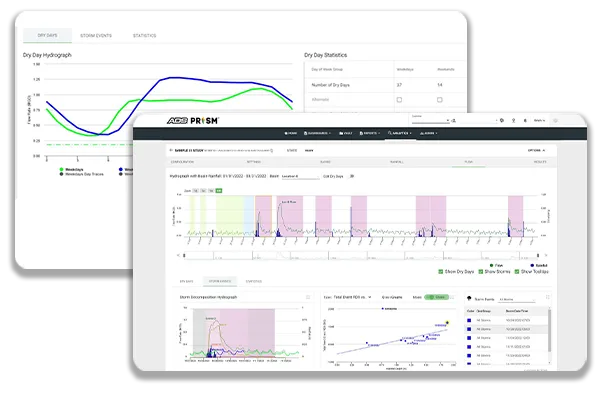
SLiiCER® is the Newest ADS I/I Analytics App
The new SLiiCER in PRISM™ puts the power and control of your Infiltration and Inflow (I/I) studies directly in your hands, providing the industry’s most trusted and complete I/I evaluation solution. SLiiCER makes it easy to evaluate your entire collection system as a single solution, tracking down I/I to guide rehabilitation programs, eliminate overflows, and validate results. The SLiiCER app, as a valuable addition to the ADS PRISM platform, leverages the power of seamless data integration, trusted analytics, and flexible reporting in a single, unified platform.
Use SLiiCER to See, Understand, and Act
Make ADS your wet weather expert and partner for I/I removal projects with SLiiCER. Collect accurate data for technical assignments that require rigorous and defensible analysis. SLiiCER provides you the answers to difficult questions regarding your wastewater collection system performance.

Who Uses SLiiCER
Municipal Engineers
Answer wet weather questions and track sewer performance with SLiiCER. Get the answers you need quickly and get back to the rest of your workday.
- Answer sewer performance storm-by-storm
- Understand rainfall return frequencies
- Get results quickly
Consulting Engineers
SLiiCER’s powerful analytics keep you focused on engineering tasks with automated, industry-accepted methods that provide a rigorous and defensible analysis.
- Vary assumptions, visualize results, and apply engineering judgment
- Take your results with you, and leverage them in reports, presentations, and hydraulic models
Use SLiiCER to gain actionable insight for:
- Rainfall Analysis
- RDII Calculations
- Rainfall Depth-Duration-Frequency (DDF)
- Storm-by-Storm RDII
- System-wide RDII
- Q vs. i Relationships
- Seasons and Regimes